ix7 game logo
Unlocking the vault
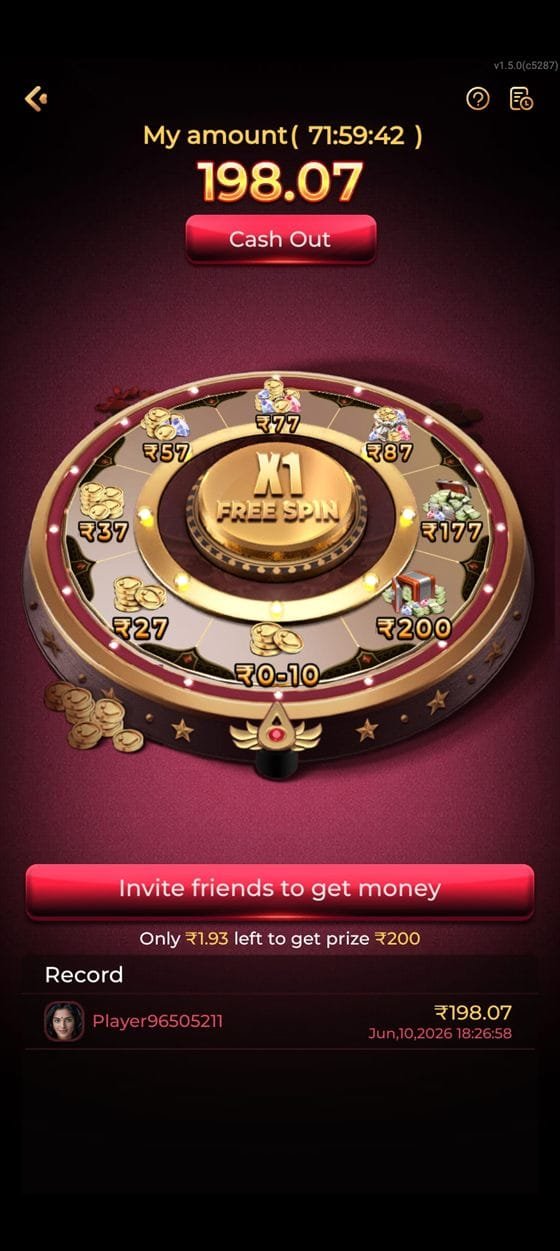
ix7 app lucky spin wheel screen
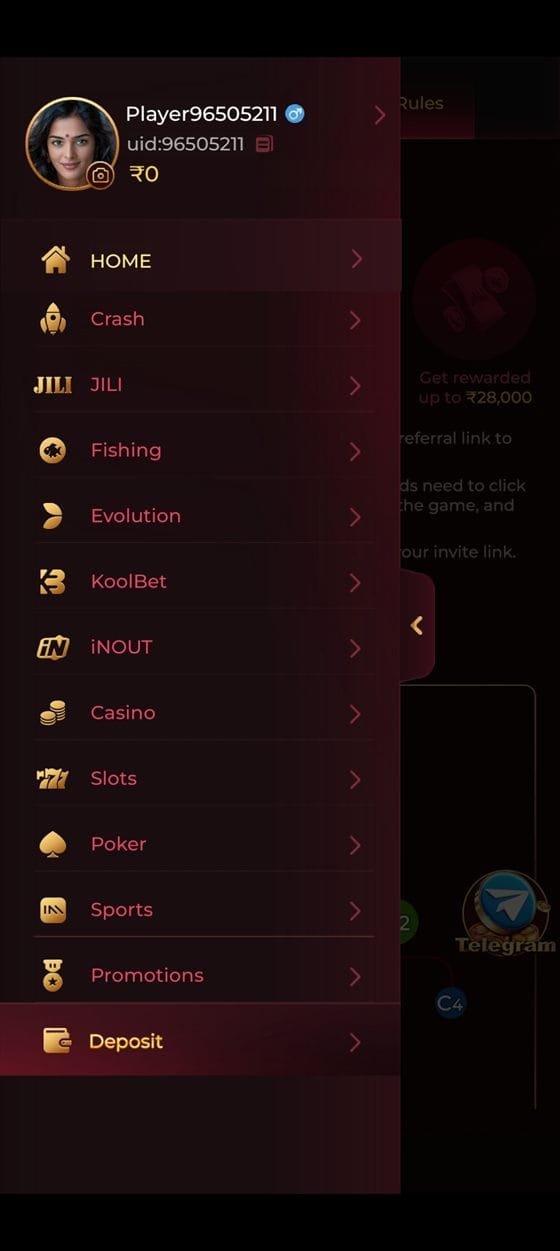
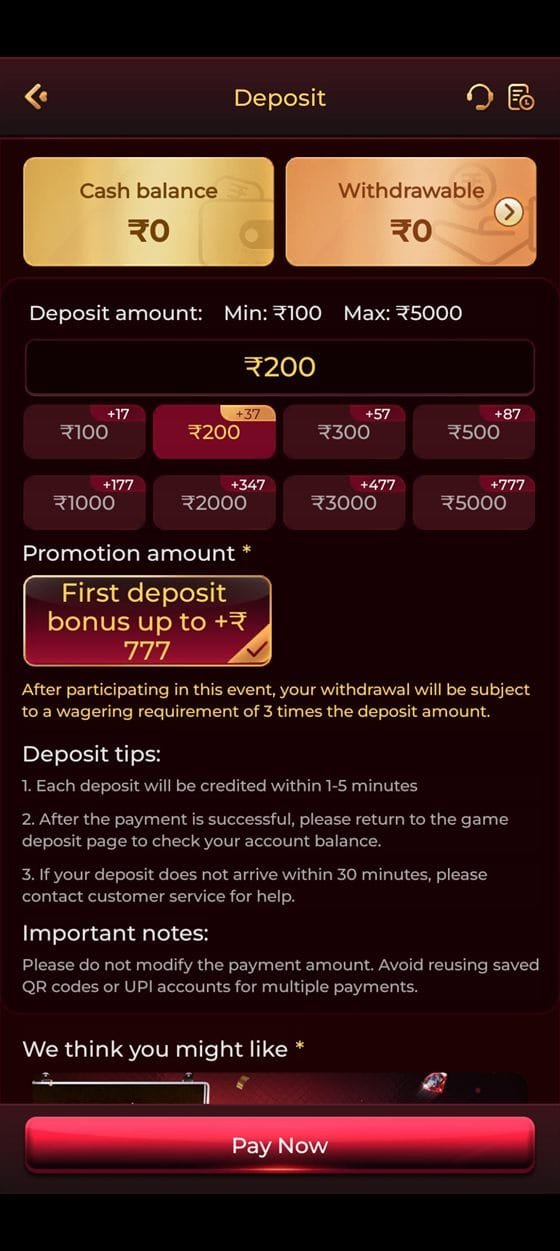
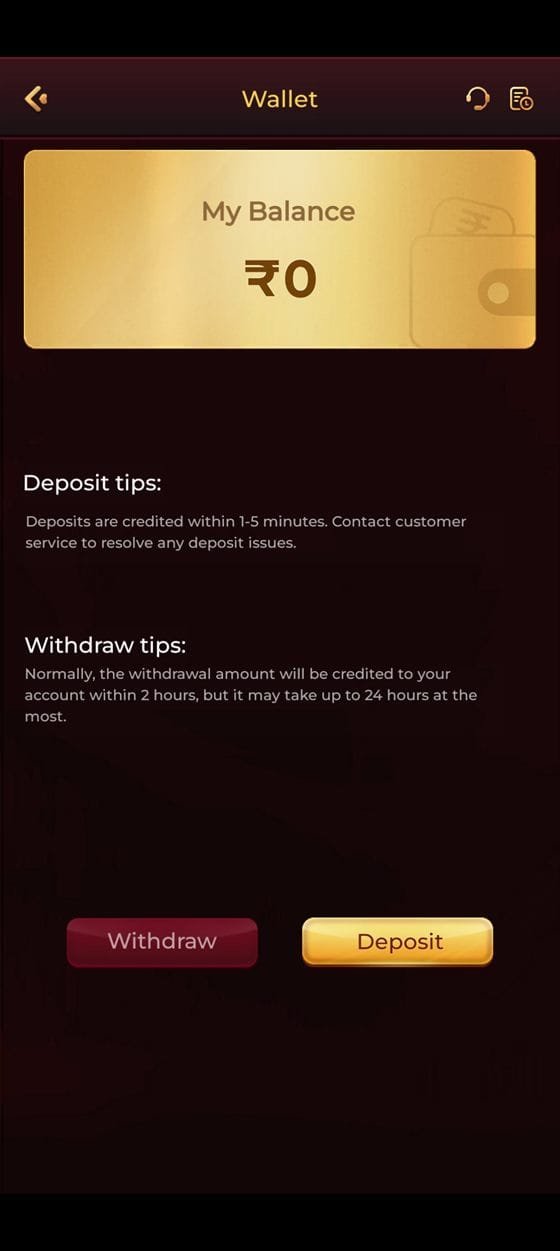
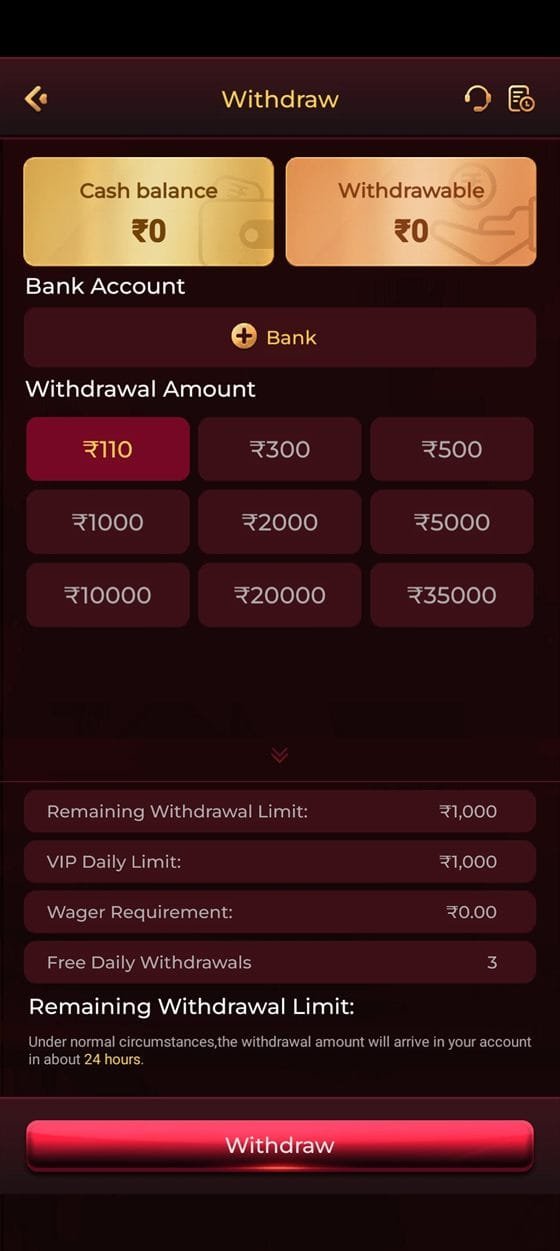
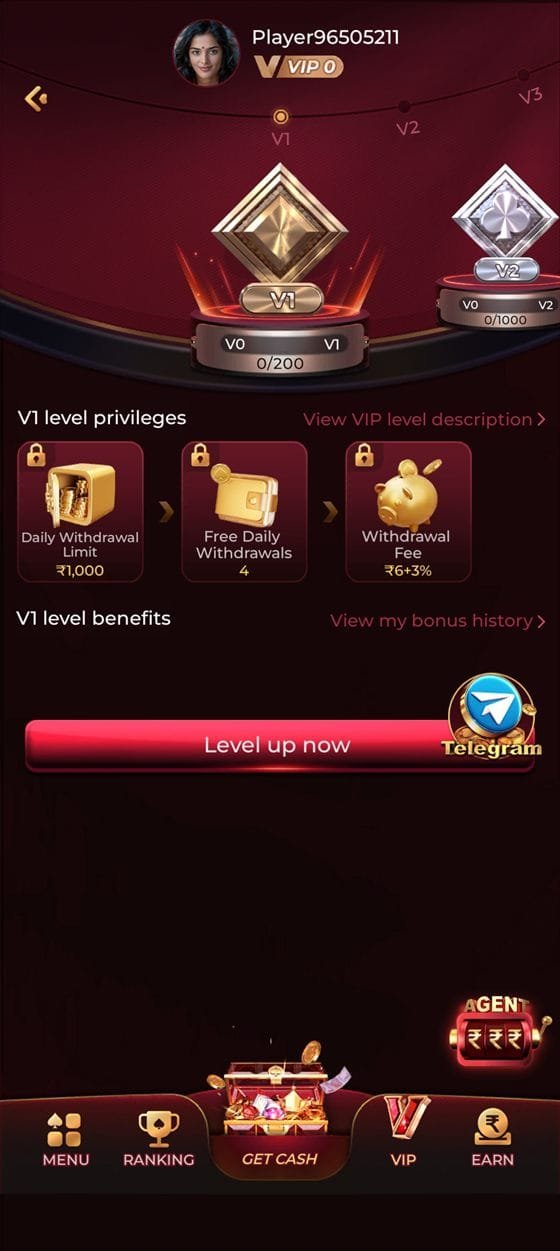
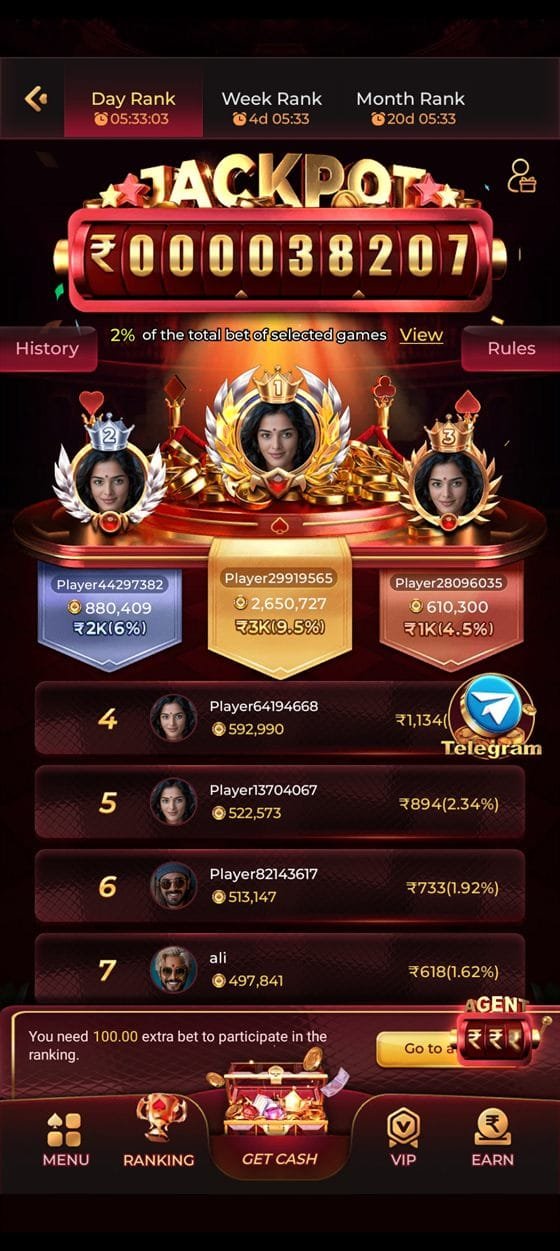
ix7 game app navigation menu with all game halls ix7 app deposit console with ₹100 to ₹5,000 presets ix7 apk wallet screen with balance and deposit or withdraw ix7 app withdraw panel with amounts and daily limits ix7 game VIP level privileges screen ix7 app jackpot ranking leaderboard
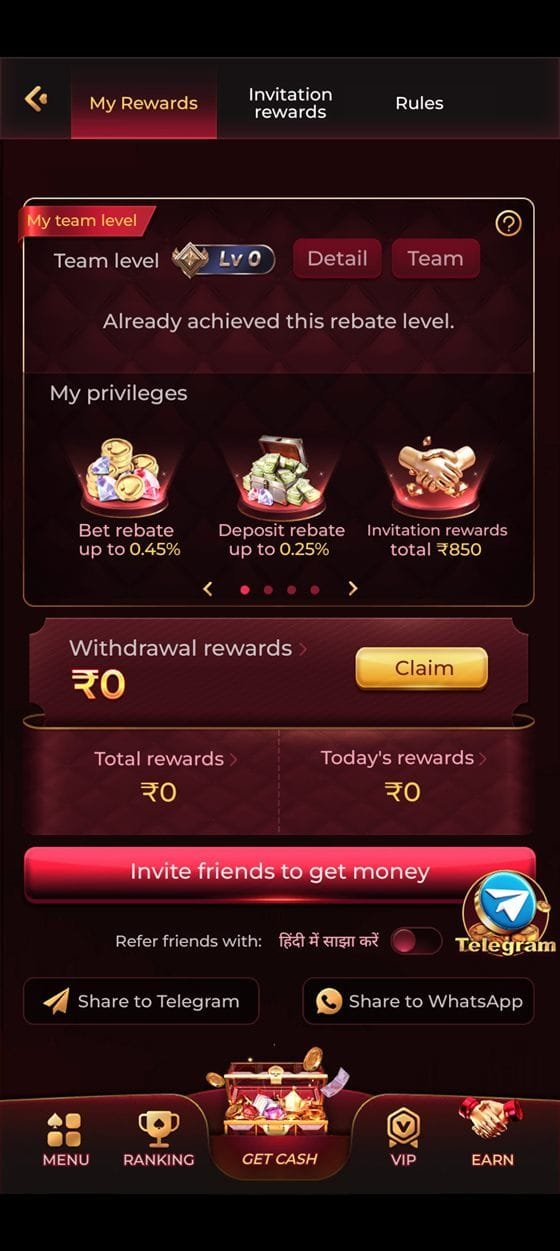
ix7 app rewards and rebate screen
v4.2.7ix7 Latest APK
VerifiedOfficial Build
Unlock the Vault

Download the ix7 Game APK

The ix7 latest app for Android, straight from the official source. Roughly 38 MB, installs in about a minute, and updates itself from inside the app once it is running. iPhone users get the same product as a home-screen web app — instructions further down.

Version
4.2.7
Size
38 MB
Android
6.0+
Rating
4.7 / 5
Price
Free
Updated
Official BuildSigned by the operator
256-bit SSLEncrypted end to end
Malware ScannedChecked on every release
No Ads, No TrackersMinimal permissions
In-App UpdatesDownload the file once

Four Doors

Installing the ix7 App, Step by Step

If you have never installed an app outside the Play Store, the process looks unfamiliar the first time. It takes about four minutes end to end, and every prompt Android shows you along the way is explained below.

01

Download the installer

Tap the download button above. Your browser saves an .apk file to the Downloads folder — roughly 38 MB, which takes under a minute on a normal 4G connection. Chrome may warn that "this type of file can harm your device"; that message appears for every APK regardless of source, and you can proceed.

If the download does not start, your browser may be blocking it. Open browser settings, allow downloads from this site, and try again. Alternatively, request the direct link from the Telegram support channel.

≈38 MB · under a minute on 4G 01
02

Allow installation from this source

Open the downloaded file. Android will show a one-time prompt asking whether to allow installations from your browser. Tap Settings, enable the toggle, then press back — the installer resumes where it left off.

This permission is scoped to the single app you granted it to, not to your whole device, and you can revoke it afterwards under Settings → Apps → Special access → Install unknown apps. Granting it is required for every app distributed outside the Play Store, which includes all real-money gaming apps in India.

One-time permission · revocable any time 02
03

Install and open

Tap Install. The process takes twenty to forty seconds depending on your device, after which the ix7 icon appears in your app drawer. On first launch the app downloads a small set of game assets — connect to Wi-Fi for this step if you are watching your data.

Register with your Indian mobile number and confirm the OTP. There is no email verification and no document upload at this stage; KYC is only required before your first withdrawal.

20–40 seconds · OTP registration 03
04

Deposit and claim ₹10,000

Open the deposit screen, choose an amount from ₹100 upward and pay through UPI, PhonePe, Paytm, Google Pay or IMPS. Each preset tile shows the exact bonus attached before you confirm, so you know what you are accepting.

The welcome package of up to ₹10,000 is credited automatically. Open the promotions tab to see the release schedule and the wagering requirement on each portion — you can also decline the bonus entirely and keep your deposit immediately withdrawable.

From ₹100 · bonus terms shown before you pay 04
Vault Pass

Scan to open on your phone

Reading this on a laptop? Point your phone camera at the code to open this download page directly on the device you actually want the ix7 app installed on. It saves emailing the link to yourself.

Decorative representation — for the live download always use the official button, which always points at the current ix7 latest apk.

What You Are Installing

Every Screen in the ix7 Latest App

Ten real captures from the current build. Tap any one to open it full size.

Banking, in two screens

The wallet gives you one balance and two buttons. Deposits run from ₹100 to ₹5,000 and credit in one to five minutes; withdrawals start at ₹110 and the app states they normally arrive within two hours, and 24 hours at the most.

Limits are shown before you commit

The withdraw panel displays your remaining daily limit, your VIP daily limit, any outstanding wager requirement and how many free withdrawals you have left — all before you press the button, not after.

Rewards run in the background

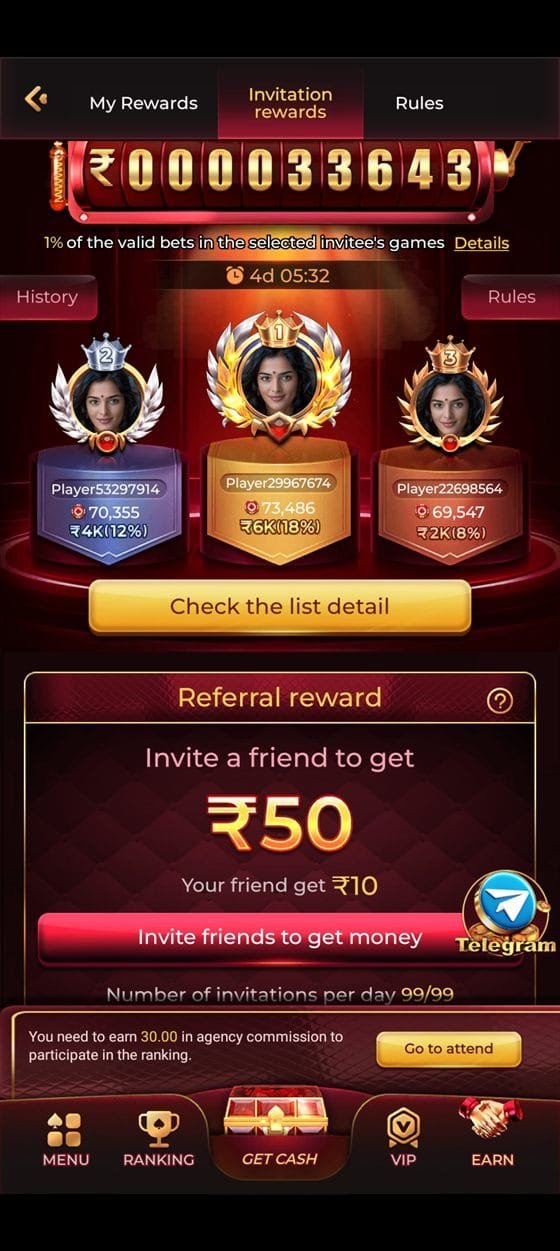
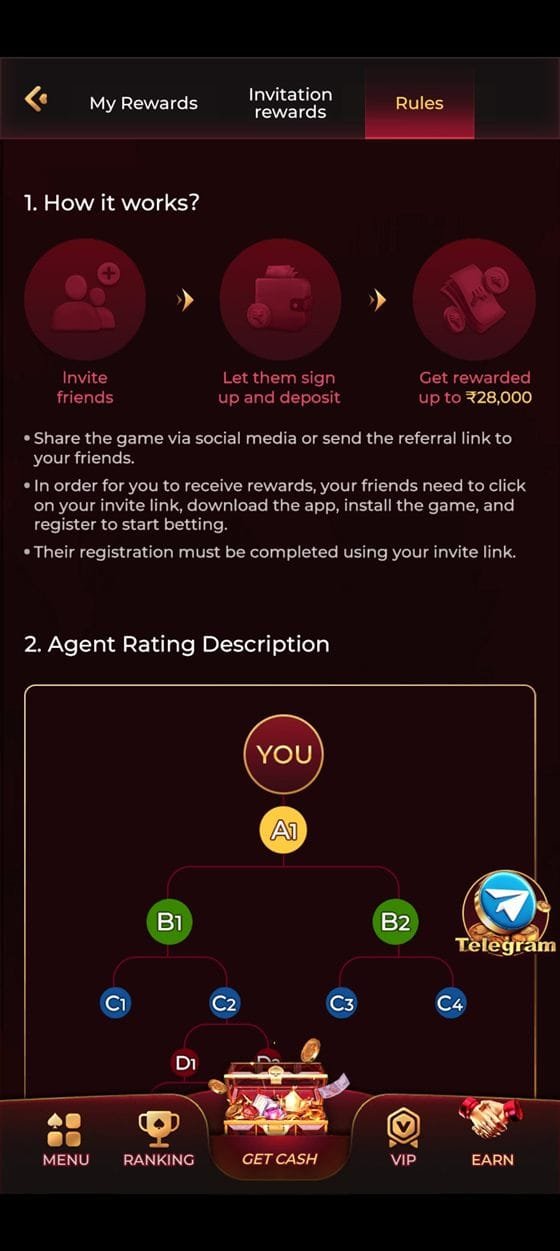
Bet and deposit rebates, invitation rewards, the shared jackpot pool and the daily Lucky Spin all accrue while you play, and each has its own screen showing exactly how the figure was calculated.

Compatibility

System Requirements

The ix7 game apk is built to run on the phones people actually own in India, not only on flagships. If your device is from 2018 or later, it will run the app comfortably.

Operating systemAndroid 6.0 (Marshmallow) or newer
Storage required≈ 180 MB
RAM (recommended)2 GB+
Connection3G minimum · 4G or Wi-Fi recommended for live tables
ScreenPortrait and landscape, 5.0″ and above
PermissionsStorage and network only
iOSiOS 13+ via Safari home-screen web app

Live dealer tables consume the most bandwidth — roughly 40–70 MB per hour of HD streaming. Slots and card games use a fraction of that.

iPhone & iPad

The ix7 App on iOS

There is no App Store listing, and there does not need to be. The ix7 app installs on iOS as a progressive web app, which gives you a home-screen icon that launches full-screen with no browser interface. Functionally it is the same product as the Android build.

  • Open Safari and navigate to the platform through the button on this page. Chrome on iOS will not offer the install option — Safari is required.
  • Tap the Share button — the square with an arrow at the bottom of the screen.
  • Choose "Add to Home Screen" from the list, then name the icon and confirm.
  • Launch from the icon. The app opens full-screen and stays signed in between sessions.
Release History

ix7 New APK Changelog

Every build is published with a version number and a summary of what changed. Updates are cumulative — you never need to install an older release first.

v4.2.7 Current release
  • Faster cold start — first launch is roughly 30% quicker on Android 9 and below
  • Withdrawal status now updates live without pulling to refresh
  • Added three new PG Soft titles to the slots hall
  • Fixed a rare crash when switching between live tables on weak connections
v4.2.4 Previous
  • Redesigned deposit console with the bonus value shown on every preset tile
  • UPI intent handoff improved — fewer failed handovers to PhonePe and Google Pay
  • Reduced install size by 6 MB through asset compression
v4.1.9 Earlier
  • Introduced the ten-tier VIP progression with live turnover tracking
  • Added referral dashboard with real-time commission figures
  • Session reminder and deposit limit controls added to account settings
v4.0.0 Major release
  • Complete interface rebuild with a new lobby structure and category rails
  • Live dealer hall expanded with Evolution studio integration
  • Dark-first visual system adopted across every screen
If Something Goes Wrong

Download & Install Troubleshooting

Nine problems account for almost every install issue. Here is how to fix each one.

This is almost always the browser blocking the file or a network interruption. Work through these in order:

  • Check available storage — you need at least 200 MB free
  • Switch from mobile data to Wi-Fi, or the reverse
  • Clear the browser cache and retry
  • Try a different browser — Chrome, Firefox or Samsung Internet
  • If a partial file was saved, delete it before retrying

Three causes account for nearly all of these. First, an older version of the app is still present — uninstall it completely, then install the new file. Second, the download was incomplete, which produces a corrupted package; delete it and download again. Third, storage is genuinely full despite what the settings screen reports; clear a few hundred megabytes and retry.

Google Play Protect flags any app it has not seen distributed through the Play Store, which includes every real-money gaming app in India. Tap Install anyway on the warning dialog. If the option is not offered, open the Play Store, go to Play Protect settings and temporarily disable scanning, complete the install, then re-enable it.

Only do this for files obtained through the official link on this site. The warning exists for good reason, and the correct response to an installer from an unverified source is to delete it.

You have not yet granted the one-time permission described in step two. Tap Settings on the prompt, enable installation for the browser you downloaded with, then press back. On Android 8 and newer this permission is per-app rather than device-wide, so you are only allowing that one browser.

Game assets download on first launch. If they were interrupted, force-close the app, reconnect to a stable network and reopen it. If a specific title still fails, clear the app cache under Settings → Apps → ix7 → Storage → Clear cache — this removes downloaded assets but not your account or balance.

Wait sixty seconds before requesting a resend — repeated requests can trigger a temporary rate limit. Check that the number was entered without the country code prefix duplicated, verify you have signal, and look in your SMS spam folder. If two resends fail, message the Telegram support channel with the number you are registering and they can trigger it manually.

You do not need to download anything again. The app checks for updates on launch and installs them in place. If you have skipped several versions, it may prompt for a full reinstall — in that case download the current file from this page and install over the existing app. Your account, balance and history are stored server-side and are never affected by reinstalling.

The official build requests storage access, for caching game assets, and network access. That is all. It does not request contacts, SMS, call logs, camera or location.

If an installer you have obtained requests any of those permissions, it is not the official file — delete it immediately and download again from this site. Repackaged APKs circulated through file-sharing sites and unverified Telegram forwards are the single biggest security risk in this category.

Yes. Your account lives on the server, so signing in on a second phone, a tablet or the browser lobby gives you the same balance, history and VIP progress. Simultaneous sessions on the same account are limited for security reasons — signing in on a new device may end the session on the old one.

One Tap Away

Get the ix7 Latest APK

Version 4.2.7 · 38 MB · Android 6.0 and above · free to download, free to install. Your ₹10,000 welcome package is waiting on the other side of registration.

Claim ₹10,000 Bonus